Refunds from the App Store or iTunes Store - Apple Club |

Tweet

When you receive a copy of your iTunes receipt, there will be a Report a Problem link in your email receipt.
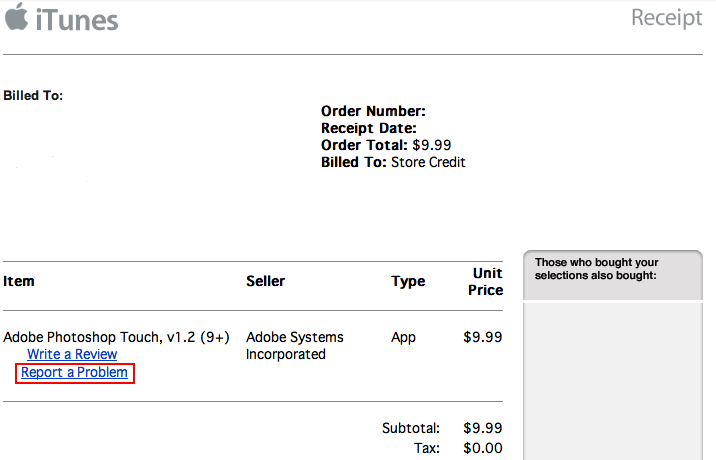
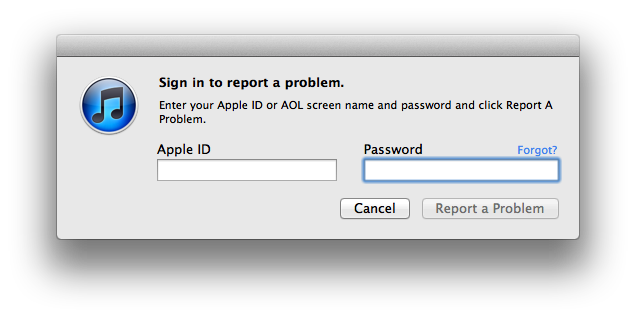
By clicking on this link, you will be connected to the iTunes Store and iTunes will be launched if it has not been launched already. From here, the iTunes Store tab will automatically open and you will need to sign in.
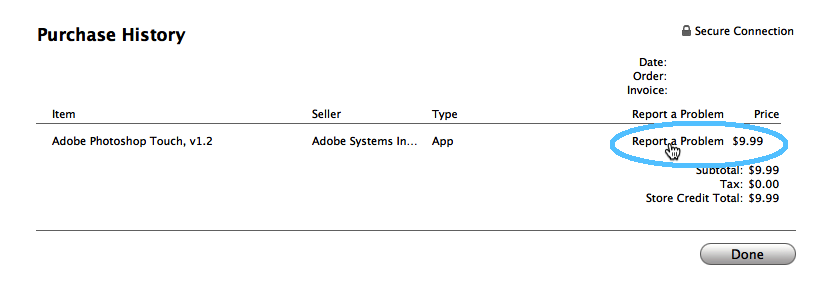
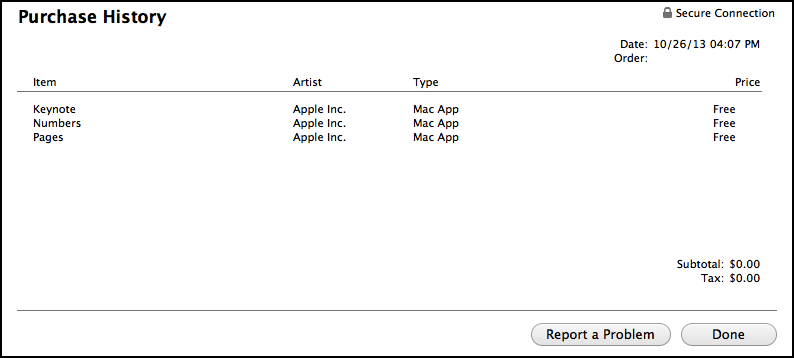
After you sign in, a "Purchase History" window will open and will display information about the order. Once again, you will need to click on the Report a Problem link. The link is the text to the left of the price, as indicated by the mouse pointer's position in the below screenshot.
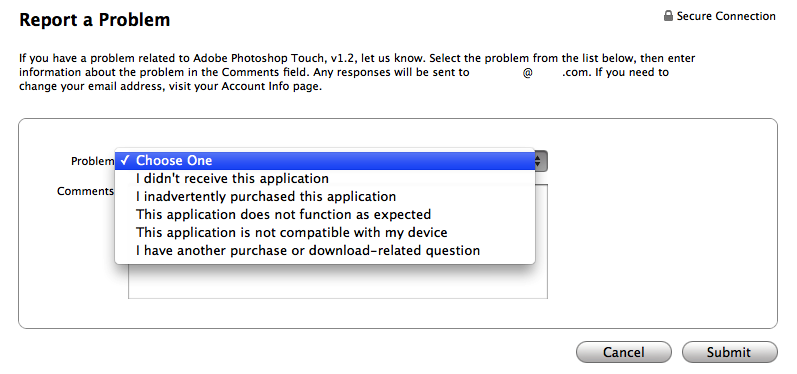
After this, you may fill out the form and select what type of problem it is and add any additional comments. After that, you are all set as soon as you click the Submit button in the lower right.
NOTE: This method will take you to reportaproblem.apple.com. You can go there directly rather than using iTunes. iTunes will merely help you find the specific order/item you would like a refund for, which can also be done at the above webpage.
To get started, open iTunes and go to the iTunes Store tab in the sidebar. If you do not see the sidebar on the left, see: iTunes 11: Show Sidebar and Status Bar.

Next, click on your account name (email address), near the top left:

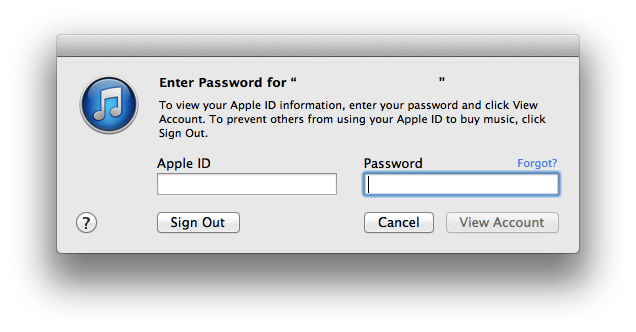
Click on "Account." You will then be met with this sign in dialog:
Find the section for Purchase History, then click "see all >."

You will then see a list of all your purchases. If you know the approximate date when the item in question was purchased, you can use the month and year drop-down menus and click "Jump."
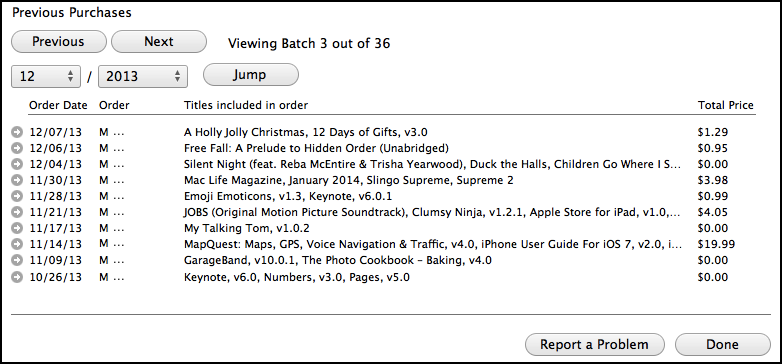
Once you found the order that contains the purchase you want a refund for, click the circle with an arrow in it to the left of the order date. The order will then be displayed. Below this, you will see a "Report a Problem" button.
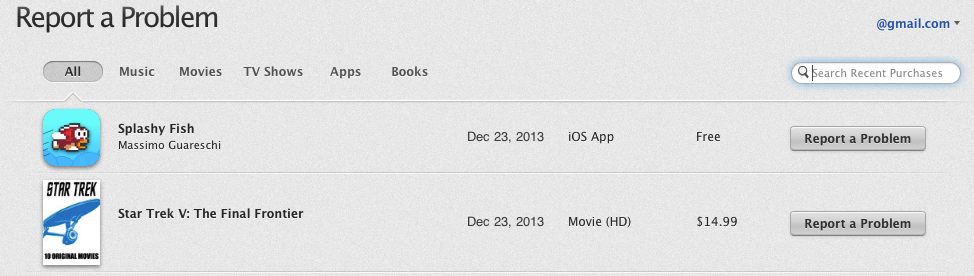
This will take you to reportaproblem.apple.com, where you can select the specific item you want a refund for. If the order is more than 90 days old, it will ask you to contact iTunes Support instead, covered later on in this article.
If you need assistance finding the item in question, you can make use of the sorting by categories (i.e. Music, Movies, etc.) and the search field on the webpage.
Contact iTunes Support
Do not worry; while some support services require you to pay for telephone support, you can email iTunes Support for free. Follow the exact steps below.
1) Go to https://ssl.apple.com/emea/support/itunes/contact.html
- If you are using a Mac and purchased from the App Store, use https://ssl.apple.com/emea/support/mac/app-store/contact.html
3) Fill out your name, Apple ID and email address
4) Fill out information about your device, including:
- The device used to connect to the store
- Operating system installed
- The version of iTunes
- Country for your store
- Title of the item (optional)
- Order number (optional). The order number can be found in your iTunes email receipt
6) Click Submit and you are done. Replies typically take 24 hours or less. If it has been more than 48 hours, resend your message.
| Back: |
Ask: |
Rate:
 |
Share: |
Print: |
|
Previous Article |
Next Article |
|
Redeeming an iTunes Gift Card |
Refurbished, New, What's the Difference? |
|
|
Related Articles |
Related Questions |
|
Problems with Opening or Downloading Apps |
No related questions found |

By Anonymous67 on 2/02/14 • Reply
Very helpful!
By GzyOnline on 3/07/14 • Reply
Thank you! I used the 'Contact iTunes Support' link to request a refund for iWatermark app (garbage app doesn't work-i do not recommend it!) and I received a refund approved response in less than an hour! Thank you!! 😃
By PvtBeaker on 7/27/14 • Reply
So helpful. So much easier to report problem for crappy apps with the web link to the report page. Don't even need to use iTunes, can do it in safari right on your iDevice.
Sent from my iPad