Audio Disabled after Upgrading to Yosemite - Apple Club |
Back to: 
Tweet

Some users report that they get no sound output after upgrading to OS X Yosemite. This article covers a few possible fixes.
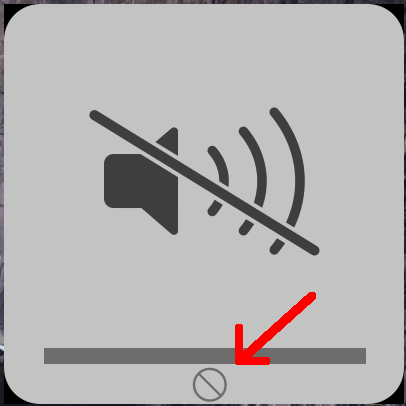
If your sound output is disabled, a "slash" symbol in a circle will appear below the volume bar
Restarting
In some cases, a simple restart solves the issue. Go to the Apple menu > Restart, to restart the computer.
Confirm Internal Speakers are Selected
Go to System Preferences > Sound > Output, and make sure the internal speakers, or whichever speakers you usually use, are selected. If not, try the fix below.
Headphones
A quicker fix, if you have a pair of earphones/headphones handy, is to insert them into the audio port on the side of your Mac, and then remove them. The internal speakers should then be re-enabled.
If you have an external audio source connected to your Mac, seeing the above image when trying to adjust the volume from your keyboard can be normal. This means that you need to adjust the volume from the external device directly, and not from your Mac. However, if you are unable to adjust the volume for your internal speakers, one of the above fixes should work.
| Back: |
Ask: |
Rate:
 |
Share: |
Print: |
Article ID: AT4842
|
Previous Article |
Next Article |
|
Apple Watch: Putting On and Taking Off Watch Bands |
Avoiding Phishing Scams |
Overall User Rating: [NO RATINGS]
