Charging Your iOS Device - Apple Club |
Back to: 
Tweet
This article aims to explain when to charge your iPhone, iPod or iPad, and bust some common myths about charging.
iPhone 5W Adapter vs. iPad 10W or 12W Adapter

The 5-watt power adapter that comes with the iPhone and iPad mini will adequately charge any iPod, iPhone or iPad when a USB cable is connected. The iPod touch and other iPods only come with a USB cable, so charging is done by plugging into the computer. However, you can easily borrow a 5W adapter from an iPhone or buy an extra and it will charge the iPod just fine (and faster), and also allow you to charge independent of the computer. This adapter is not a completely sufficient power source for the 9.7-inch ("full size") iPad. It will charge it, but for noticeable results, the iPad should probably be either off or in sleep mode.
This adapter can be bought at: https://www.apple.com/shop/product/MD810LL/A/apple-5w-usb-power-adapter

The iPad comes with either a 5W, 10W or 12W adapter depending on the model you get. Some people are nervous to charge a lower-power device like the iPhone with a 10W or 12W adapter. No harm will come to your device if you use one of these adapters. The iPhone and iPod will only draw as much current as they need.
This adapter can be bought at: https://www.apple.com/shop/product/MD836LL/A/apple-12w-usb-power-adapter
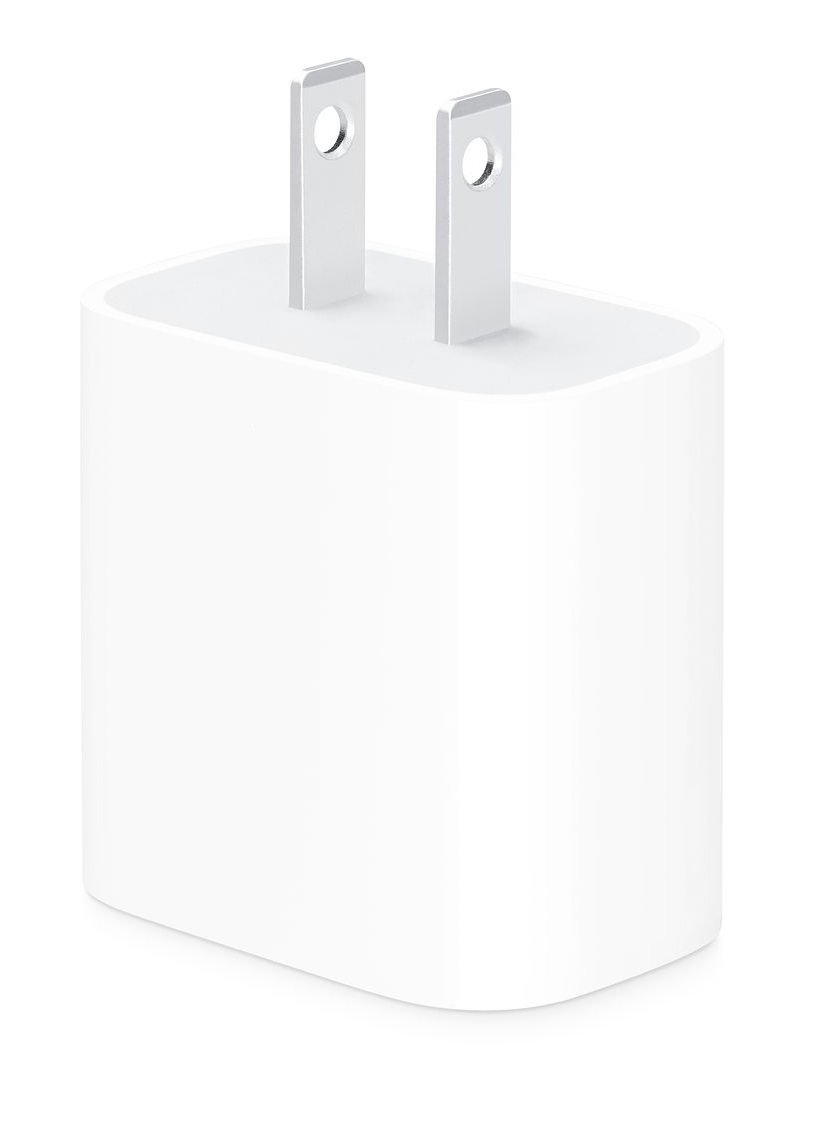
Any iPhone Pro model comes with an 18W adapter that has a USB-C port, rather than a legacy USB-A port. The iPhone comes with a USB-C to Lightning cable for use with this adapter. This cable and adapter combination can be used to charge other iOS devices as well, however the cable that comes with other devices cannot be used with this adapter since it is a different port. Therefore, you would need both the adapter and cable that came with the iPhone Pro model in order to charge other devices.
This adapter can be purchased at: https://www.apple.com/shop/product/MU7T2LL/A/18w-usb-c-power-adapter
The below chart will explain what charger comes with each device.
| Device | USB-A Cable | USB-C Cable | 5W Adapter | 10W Adapter | 12W Adapter | 18W Adapter |
| iPhone X and earlier, iPhone XS, iPhone XS Max, iPhone 11 |  |
|
||||
| iPhone 11 Pro, iPhone 11 Pro Max |
|
|
||||
| iPod touch | |
|||||
| iPad (original), iPad 2, iPad (3rd generation), iPad mini Retina display, iPad mini 3, iPad mini 4 | |
|
||||
| iPad mini (original) | |
|
||||
| iPad (4th generation), iPad Air (all models), iPad Pro (all models) |
|
|
||||
| Apple Watch | |
|
More on iPad Charging
As stated earlier, the 5W adapter will charge your iPad, but at a very slow rate. Plugging into the computer will not charge the iPad at all, as these usually provide ~2W. Some computers (like the more recent Macs) will charge the iPad very slowly (it's better to have it in sleep mode), but otherwise, having it plugged in will just make it so that the battery depletes slower.
When is the Best Time to Charge my Device?
There is no specific time or percentage at which you could plug in your iOS device. You can charge it from 1% to 50%, 40% to 60%, 85% to 100%, or whatever you want. If you are powering up your device for the first time, charging it up to 100% is not required. Also, you do not need to unplug your device once it reaches 100%, so you can leave it plugged in while on an outing. It cannot be "overcharged." This is further explained below.
iPhone/iPad stops Charging at ~97%
If your device stops charging at around 97% (give or take), this is normal. This is part of the "trickle charging" system. Once your device reaches 100%, current stops flowing to it, which is why it won't overcharge. It won't kick in again until around 97%, and will bump it back up again, then repeat the process.
Wireless Charging
iPhone 8 and later, Apple Watch Series 3 and later, AirPods Pro and AirPods with Wireless Charging Case support wireless charging. The glass design on the back allows for the use of induction coils which can charge from wireless charging pads, removing the need to plug in any cables. A variety of manufacturers offer wireless chargers.
NOTE: AirPods (1st generation) were not sold with a wireless charging case option. However, the standalone wireless charging case can be purchased separately and is compatible with the 1st generation AirPods. If you own the AirPods (2nd generation) model that did not come with a wireless charging case, this standalone case will work with them as well.
This charging case can be purchased here: https://www.apple.com/shop/product/MR8U2AM/A/wireless-charging-case-for-airpods
| Back: |
Ask: |
Rate:
 |
Share: |
Print: |
Article ID: AA1082
|
Previous Article |
Next Article |
|
Camera Shortcut on the Lock Screen |
Closing Apps on iOS |
Overall User Rating: [2 RATINGS]

Comments (12):
By Pakawala on 12/27/14 • Reply
iPhone cannot be overcharged.... HOKUM!! I recently noticed that my
iPhone was starting to protrude from it's protective carrier. I tried
pushing it back down but to no avail. I also noticed that the Home
button was getting more and more difficult to use and had to resort to
the 'on screen' Home button to get proper response. While at an IT
store, asking about the new iPhone 6, I asked if there was any trade-in
value with my iPhone 5. He said it would be minimal because it needed a
new battery!! He then showed me that the reason my phone would not fit
properly into it's case is because the battery was swollen due to OVER
CHARGING!! I had him change the battery and everything is now back to
normal. I no longer leave the phone on charge at night while sleeping
which was my normal behavior before this incident occurred.
in response to Pakawala
By AppleClubSupport on 12/28/14 • Reply
I suggest you get a second opinion about the cause of your battery swelling and take the "IT store" guy's explanation with a grain of salt. As mentioned, when the iPhone gets close to being 100% charged, the "trickle charge" system kicks in, and the iPhone will charge more slowly until it reaches 100%. When it does, absolutely no current is flowing into the phone so it is impossible to overcharge it unless some of the equipment (most likely the cable, adapter, or outlet) was faulty. When it gets back down to 97% or so, it will then slowly charge back up to 100%, and then repeat this cycle. Are you using a genuine wall adapter and USB cable? If there wasn't a short, the only explanation I can think of is that you plugged it into an outlet that had a higher voltage rating than the iPhone is approved for. But it was positively not due to overcharging, and you're welcome to get a second opinion (call around to other tech shops, or best yet, call Apple).
in response to AppleClubSupport
By Pakawala on 12/29/14 • Reply
Thanks for your response. You are saying that the battery could not
have been over charged (due to the 'trickle charge' and then completely
stopping current flow after it reaches 100%) and I read this same
statement in the iPhone Manual. I'm using the original (white) charger
and cable that came with the phone and plugging it into my standard
outlet (here in Thailand, the outlets are 220vac). My normal procedure
was to put the phone on the charger each night prior to going to sleep
and removing it each morning. What other reason could there be for the
battery to be swollen and puffy when it was removed? He removed it
right in front of me and handed me the old battery prior to installing
the new one.
in response to Pakawala
By AppleClubSupport on 12/29/14 • Reply
There could be a number of reasons. A normal charger will not let the iPhone overcharge, but it could have malfunctioned (i.e. shorted out, as mentioned earlier). Prior to the battery swelling, did you ever notice that your iPhone felt hot? Overheating can also be a cause of this. It could also just be you got a defective battery and it was doomed from the start (very rare). The battery swelling is caused by a chemical reaction (it's a lithium ion battery), and these are the most common causes. Lithium ion batteries are generally more robust than nickel cadmium batteries, which have all sorts of "rules," such as having to charge up your device completely before you use it the first time, and so on.
in response to AppleClubSupport
By Pakawala on 12/29/14 • Reply
Thank you for your help on this matter. I'll wait and see how this new
battery works out. The old one lasted about 4 years - not too bad and I
remember it getting a little warm during one of my longer
conversations. Again, I truly appreciate your assistance. Happy New
Year!!
By royvjohn on 1/13/15 • Reply
Will Ipad Mini 2 Overcharge...?
& I want to know that is it good that we drain out our ipad's battery once in a month a charge fully for getting a better battery life span..?
& I want to know that is it good that we drain out our ipad's battery once in a month a charge fully for getting a better battery life span..?
As you can read in the above replies to Pakawala, iOS devices cannot be overcharged unless the charger is faulty.
Letting the battery drain once per month will calibrate the battery gauge, however, it will not increase the battery life, and it also counts as a charge cycle (when the battery is depleted to the point where the iPad shuts off, and then is charged back up). You should not notice a decrease in battery life for the first 1,000 charge cycles, give or take.
in response to AppleClubSupport
By royvjohn on 1/14/15 • Reply
i am an ipad mini 2 user & i've got the doubt on charging the
ipad.it's been 2 months since i purchased it & i donot let the
charge go down below 30-40% & from there i charge it till
reaches100%.is there any problem doing so..? & what is the maximum
lowerlimit that the battery charge can go down & should i charge it
every time to 100% or is it ok if i just charge it to 80-90% or
something
in response to royvjohn
By AppleClubSupport on 1/14/15 • Reply
It doesn't matter how much you charge it, when you charge it, how long you charge it, how much you let the battery drain, etc. Probably the only thing that could damage it is if you let the battery drain completely and then did not recharge it for months.
By jms0329 on 6/12/15 • Reply
Another question on this article, will non-apple charging cords cause
the battery to 'swell'? Using the official wall charger with an
non-apple USB lightning cord.
The cheaply made ones have the potential to cause issues like that. To be absolutely safe, you should use an authentic Apple charger cord.
By iPad mini 3 on 9/25/16 • Reply
I left my iPad mini 3 on charge for 3 days because I'm at a sleepover and I forgot to take it out. Will anything happen to it? I'm still scared because I haven't gone home yet. Reply fast please!!!!!!